For official TallyPrime product details and features, visit the official Tally Solutions website.
Template – 1 – Letter Pad – Tally Prime 7.1
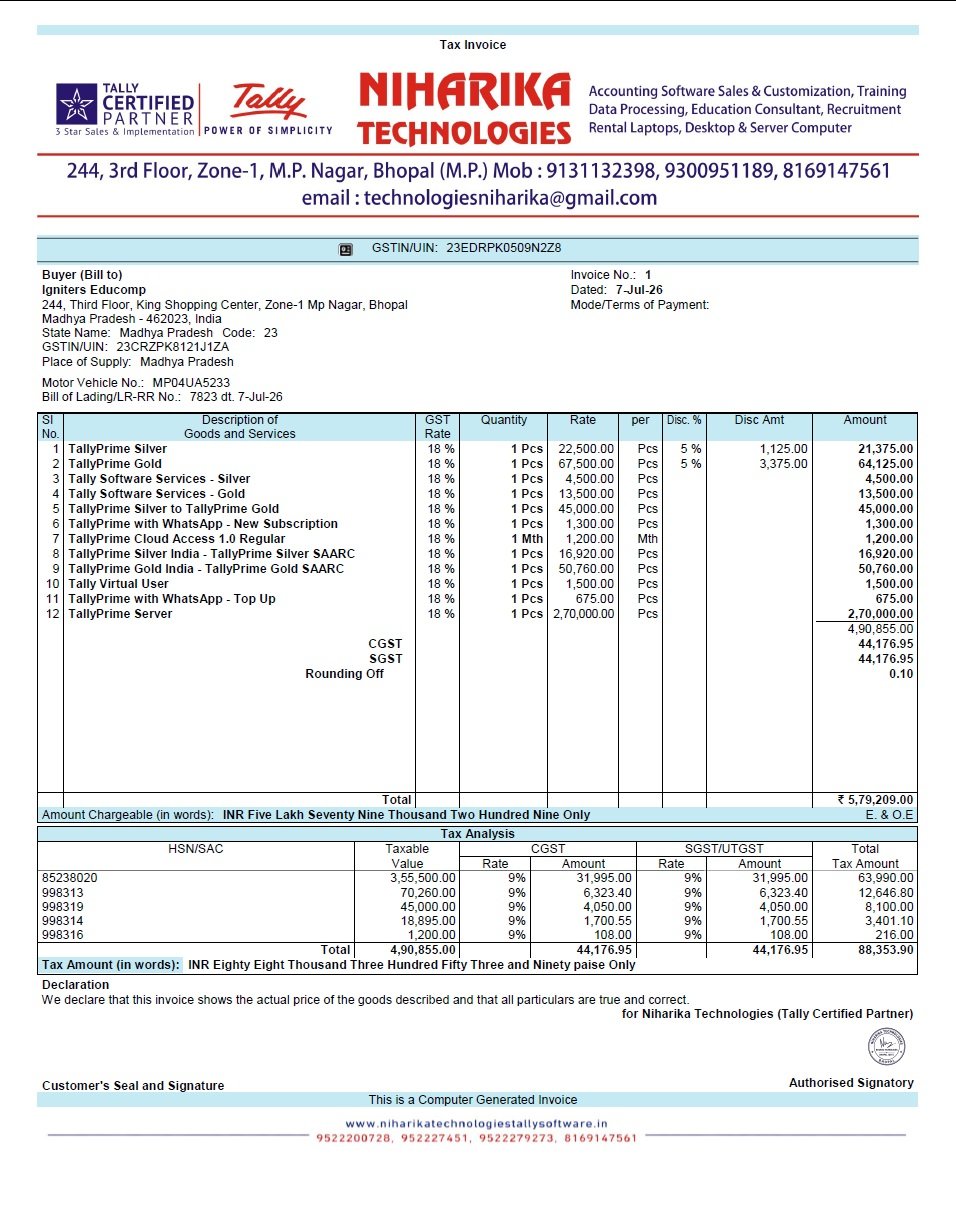
Letter Pad Invoice Format: This Tally Prime 7.1 invoice template is suitable for businesses that want their company logo, name, address, contact details and GST information clearly displayed on the invoice. It gives the printed invoice a professional business-letter style while keeping the billing details easy to read.
Template – 1 -Minimum Field – Tally Prime 7.1
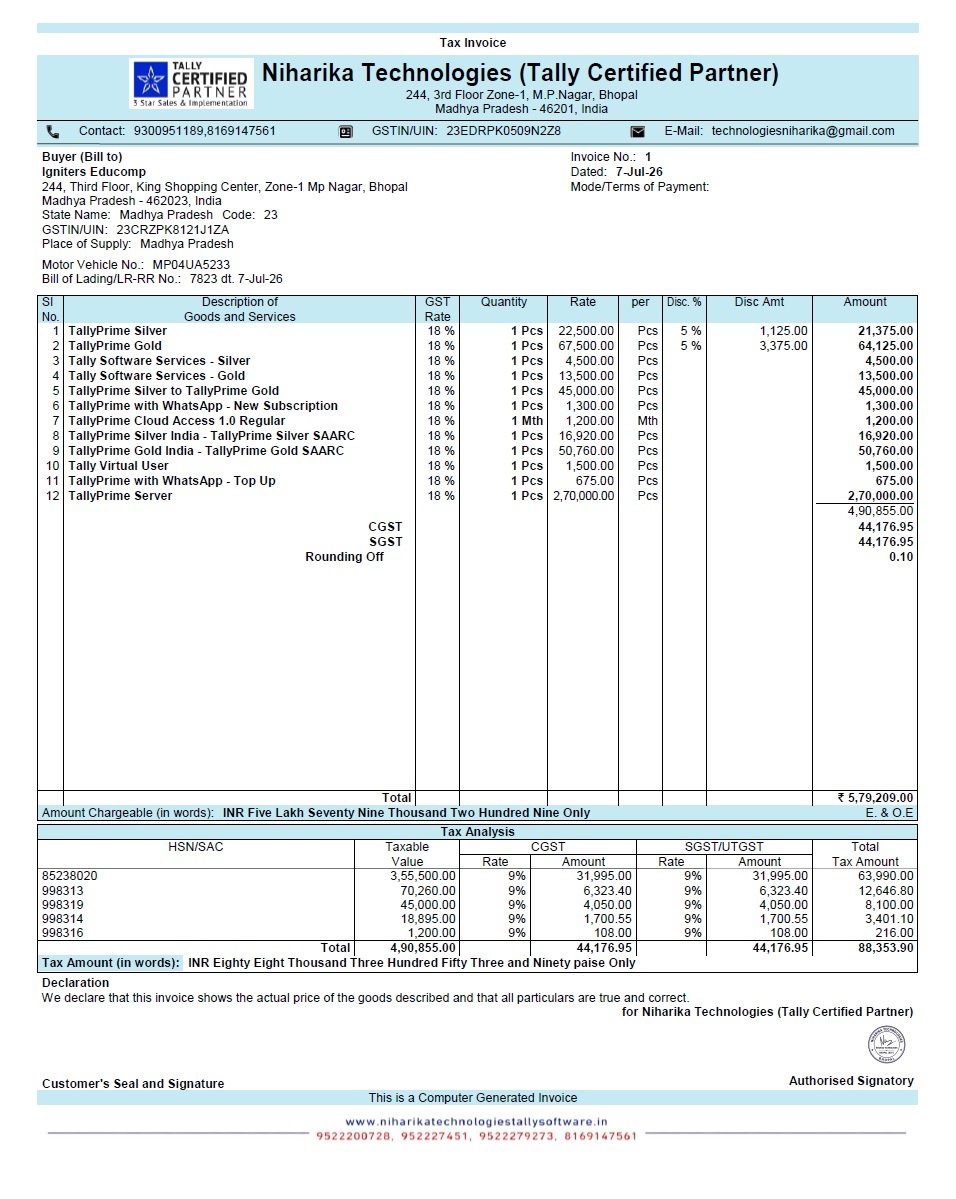
Minimum Field Invoice Format: This Tally Prime 7.1 invoice template is designed for businesses that prefer a clean and simple invoice with only the essential billing information. It keeps the layout compact while displaying important details such as buyer information, invoice number, GST details, items, quantities, rates and tax information.
Template – 2 -Minimum Field – Tally Prime 7.1
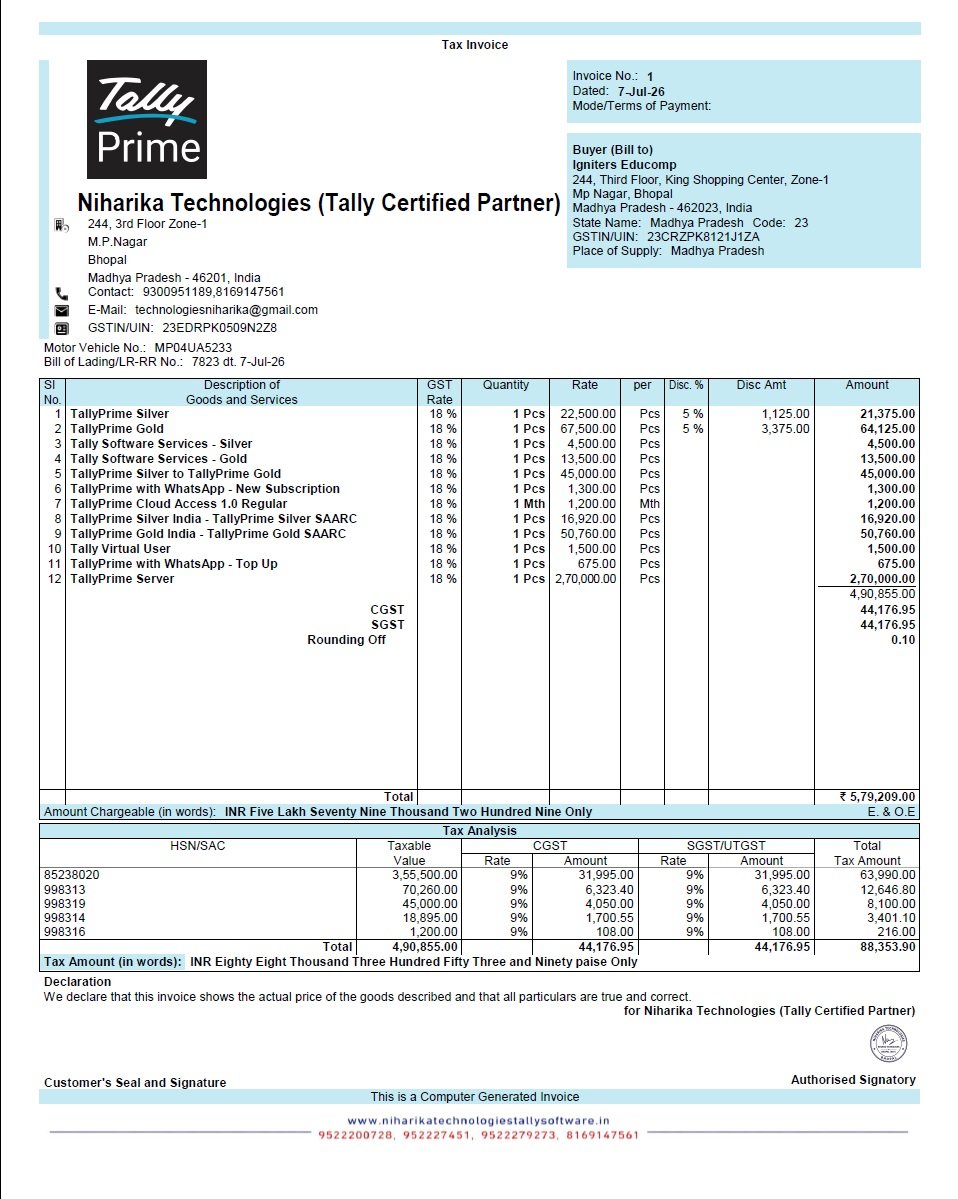
Template – 3 – Motor vehicle no – Tally Prime 7.1
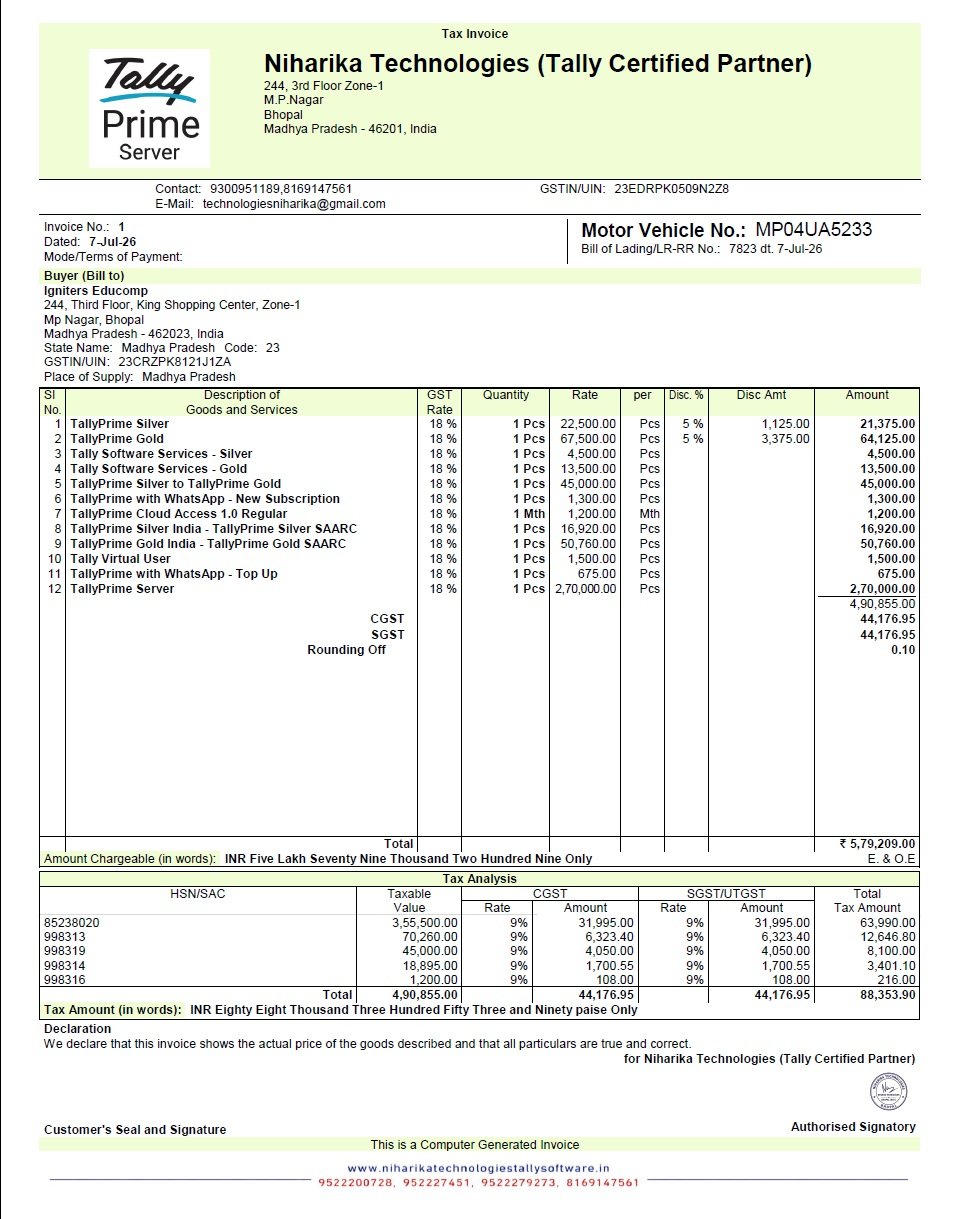
Motor Vehicle Number Invoice Format: This Tally Prime 7.1 invoice template is useful for businesses that need to mention the vehicle number on their invoices. It can be helpful for transport, automobile, hardware, construction and other businesses where goods are delivered through vehicles and vehicle details need to be recorded on the invoice.
Template – 4 – Maximum Party Detail – Tally Prime 7.1
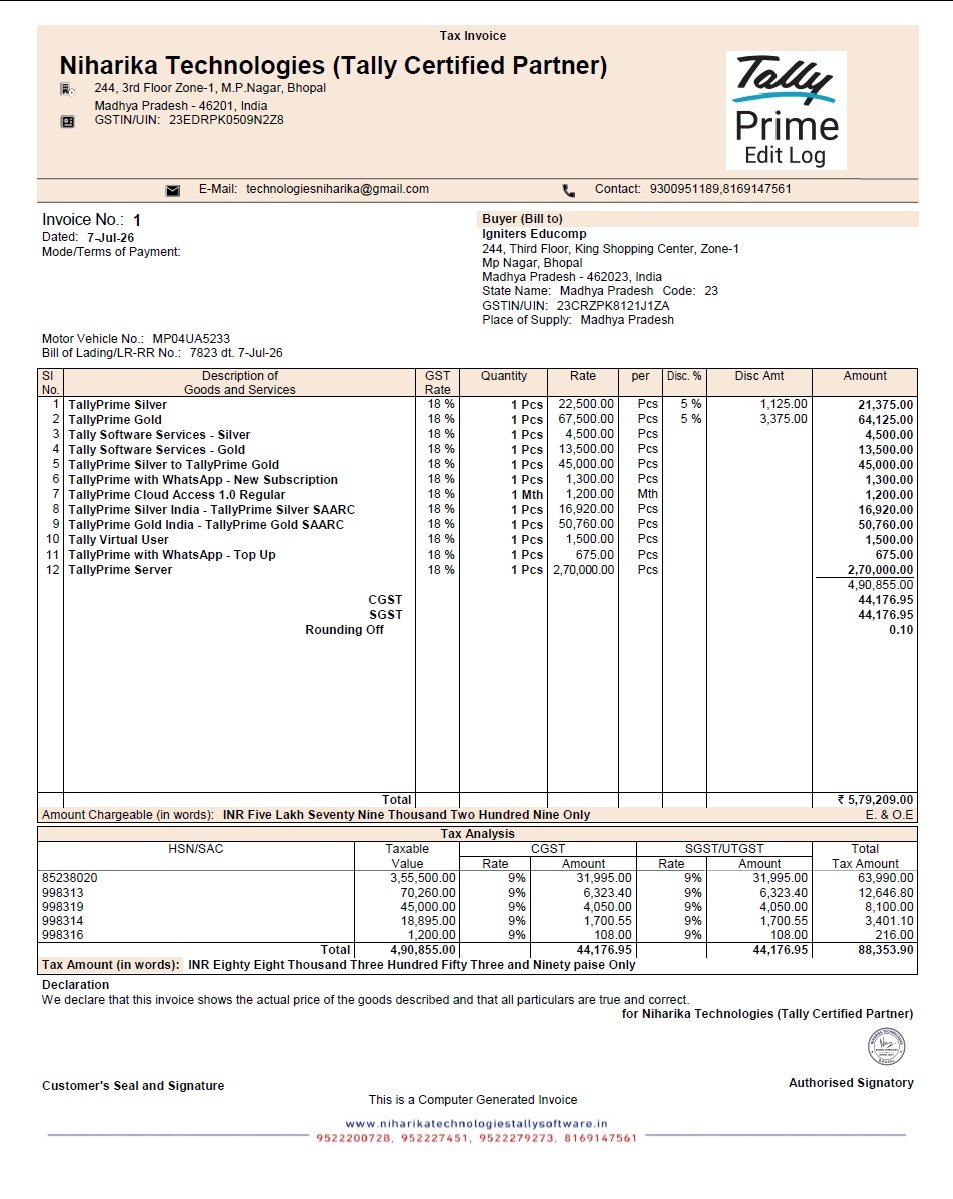
Maximum Party Detail Invoice Format: This Tally Prime 7.1 invoice template is designed for businesses that want to display detailed customer and billing information on the invoice. It provides more space for party details while keeping the product, tax and payment information organized and easy to understand.
Template – 5 – Multiple Logos – Tally Prime 7.1
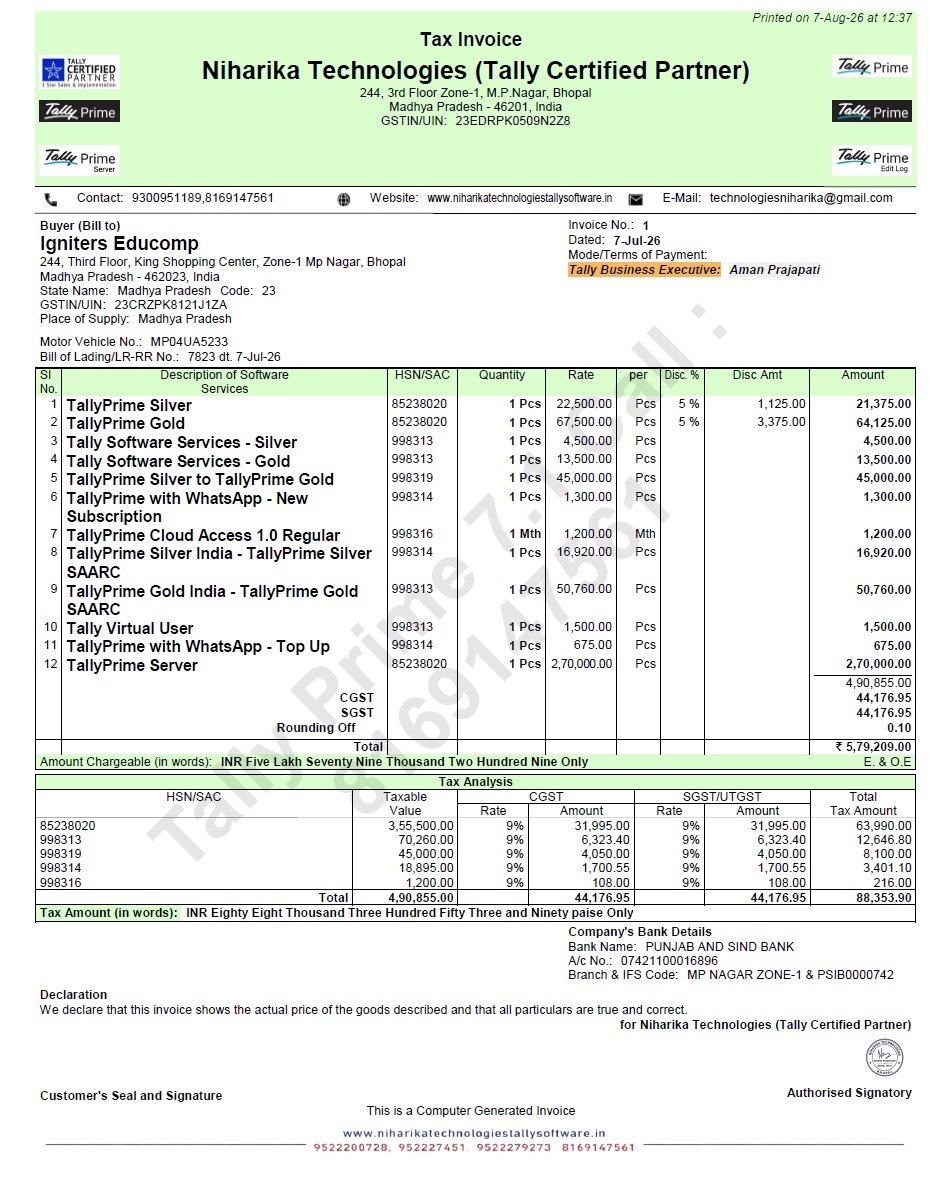
Multiple Logos Invoice Format: This Tally Prime 7.1 invoice template is useful for businesses that want to display more than one logo or brand identity on their invoices. It can be suitable for businesses handling multiple brands, divisions or product lines while maintaining a professional and organized invoice design.
Template – 6 – Multiple Address – Tally Prime 7.1
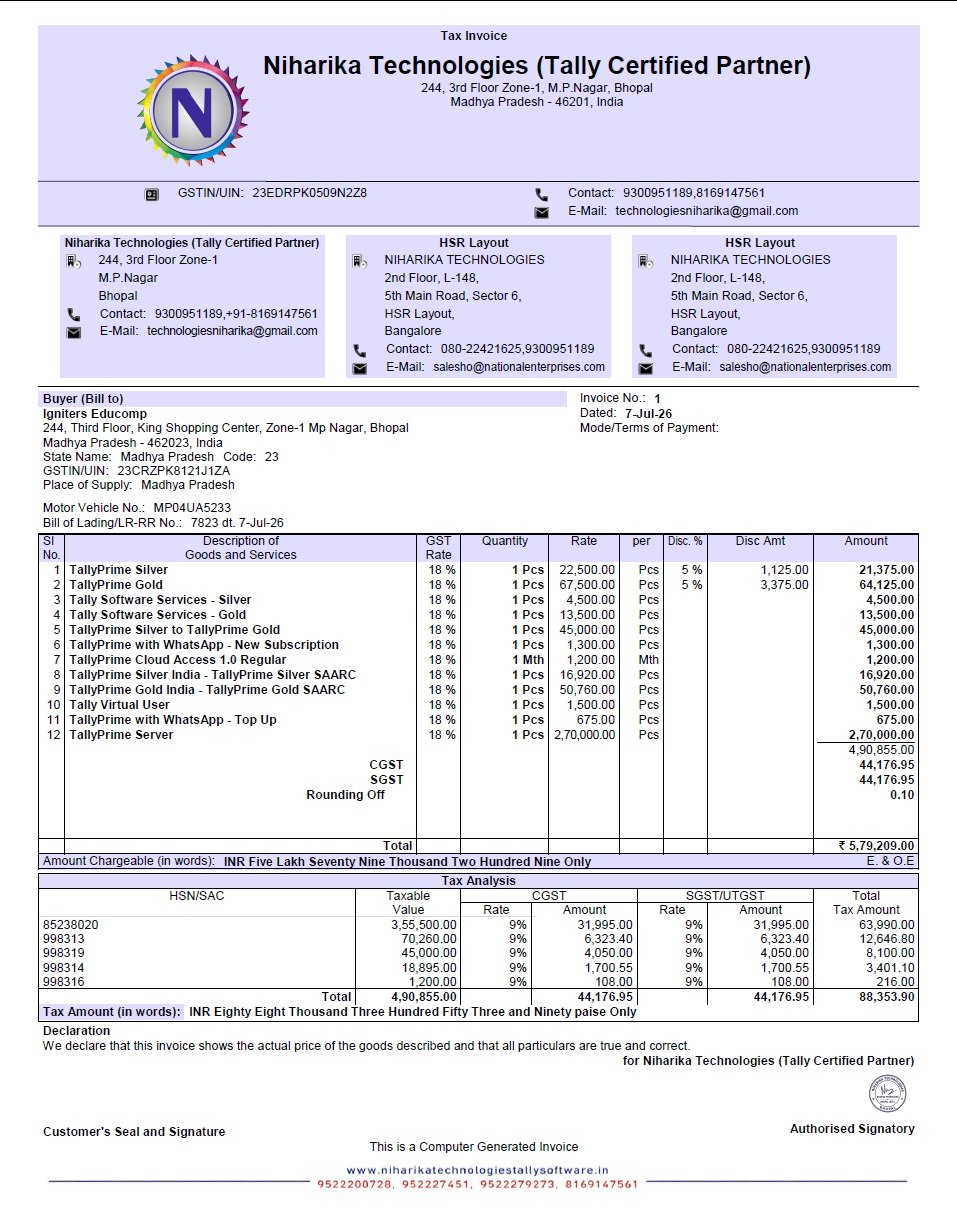
Multiple Address Invoice Format: This Tally Prime 7.1 invoice template is useful for businesses that operate from multiple locations or need to show different office and branch addresses on the same invoice. It helps present multiple business addresses clearly while keeping the invoice professional and easy to understand.
Template – 7 – Tally Classic – Tally Prime 7.1
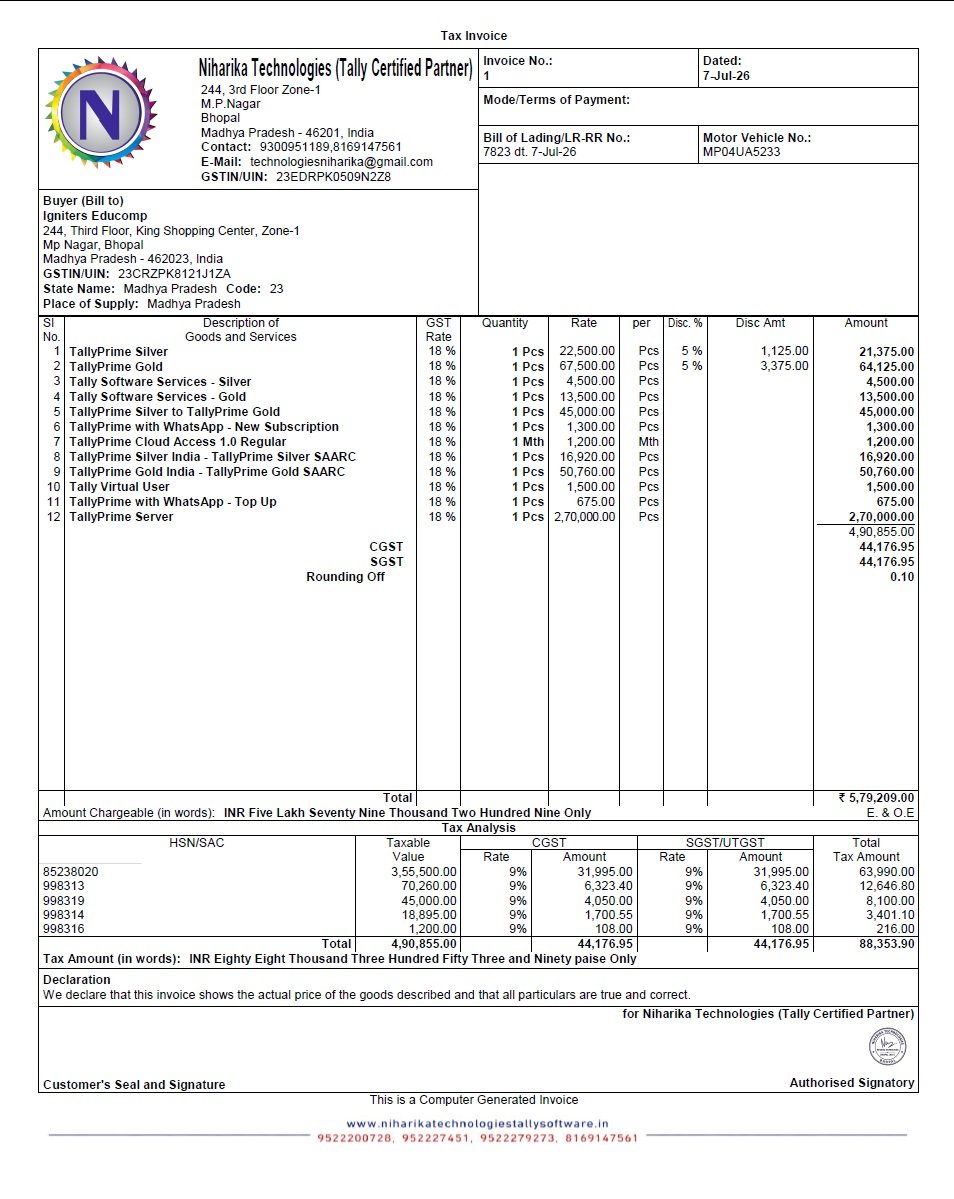
Tally Classic Invoice Format: This Tally Prime 7.1 invoice template provides a traditional invoice layout with company, buyer, item, tax and payment details arranged in a familiar format. It can be useful for businesses that prefer a classic and straightforward invoice design for their regular billing requirements.
Need TallyPrime Invoice Customization?
If you need a professional invoice format customized for your business, Niharika Technologies can help with TallyPrime invoice customization, printing formats, software setup and support.
Check the latest TallyPrime plans and pricing on our TallyPrime Price List