TallyPrime 7.2 is now available with useful updates designed to make business accounting, GST compliance, and everyday work easier. The latest release brings improvements in GSTR-9 preparation, e-Invoice and e-Way Bill login sessions, TDS/TCS return support, and Purchase Order print templates.
Whether you are a business owner, accountant, CA firm, or an existing TallyPrime user, understanding these updates can help you decide whether to upgrade your software.
In this guide, we’ll explore the key TallyPrime 7.2 features, explain how they can help your business, and show you how to get upgrade assistance from Niharika Technologies, a Tally Certified Partner in Bhopal.
What’s New in TallyPrime 7.2?
TallyPrime 7.2 introduces several updates to support accounting, taxation, and day-to-day business operations. Here are the key improvements to know about:
- GSTR-9 Preparation: Helps users prepare annual GST return data in the GSTR-9 format.
- Extended e-Invoice and e-Way Bill Login Sessions: Helps reduce interruptions while working with these services.
- Updated TDS/TCS Return Support: Includes updates related to TDS and TCS return requirements.
- Improved Purchase Order Print Templates: Provides enhancements to Purchase Order printing and template handling.
- GST and Usability Enhancements: Includes additional improvements intended to make routine work more convenient.
Simplified GSTR-9 Preparation
GSTR-9 is the annual return used by eligible regular GST taxpayers to report details of their yearly GST transactions. TallyPrime 7.2 includes support for preparing annual GST return data in the GSTR-9 format, helping users organise the required information for their filing process.
Before filing, review the data carefully and confirm the applicable GST requirements with your accountant or tax professional.
Extended e-Invoice & e-Way Bill Login Sessions
TallyPrime 7.2 includes extended login sessions for e-Invoice and e-Way Bill services. This can help users continue their work with fewer interruptions caused by frequent re-login requirements.
For businesses that regularly generate e-Invoices or e-Way Bills, this update can make routine billing and compliance work more convenient. The exact experience may depend on the service and account setup.
Updated TDS/TCS Return Support in TallyPrime 7.2
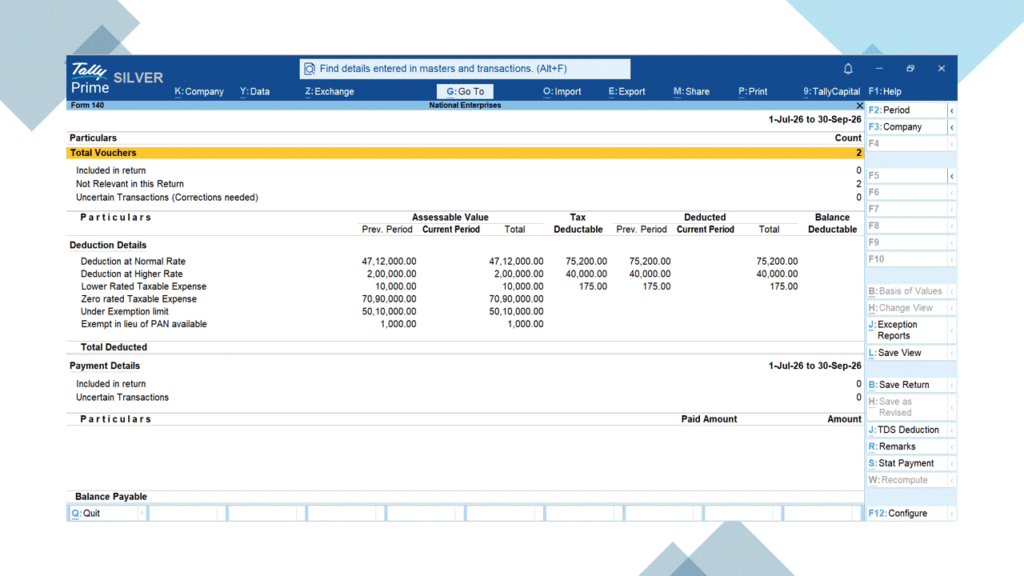
TallyPrime 7.2 brings updates related to Tax Deducted at Source (TDS) and Tax Collected at Source (TCS), helping businesses manage their tax compliance activities more efficiently.
These improvements are useful for businesses, accountants, and tax professionals who regularly work with TDS/TCS transactions and returns.
Users should review their deduction and collection details carefully and verify the applicable statutory requirements before filing returns.
Improved Purchase Order Print Templates
TallyPrime 7.2 includes enhancements to Purchase Order print templates, helping businesses manage their purchase documents and printing preferences more conveniently.
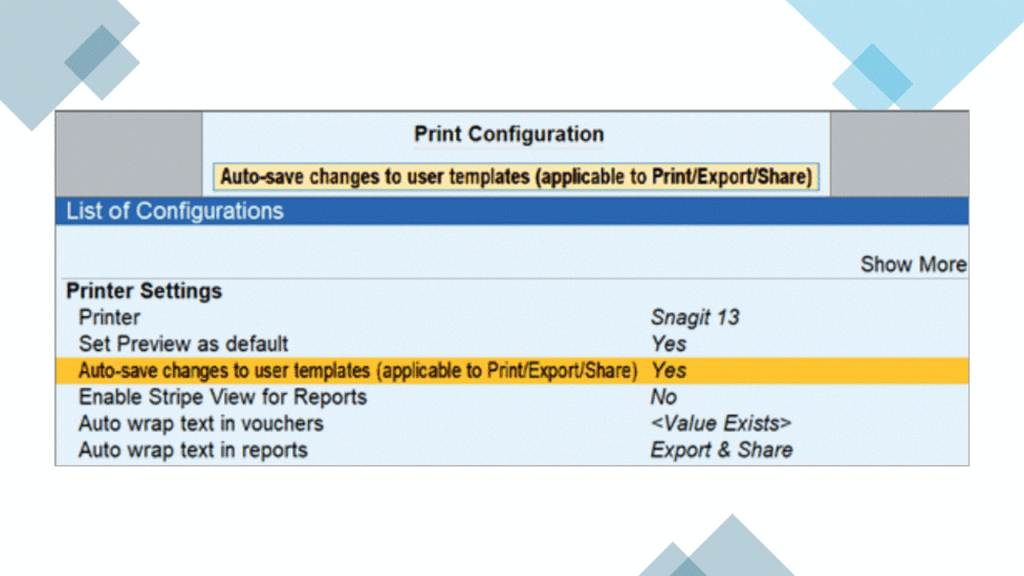
The release also supports auto-saving changes made to user templates for applicable Print, Export, and Share configurations. This can reduce repeated formatting work when users customise their document templates.
Businesses that regularly create and print Purchase Orders can review these options to maintain consistent document formatting.
Other Improvements in TallyPrime 7.2
Along with the major updates, TallyPrime 7.2 includes additional improvements to GST, taxation, and everyday usability. The release also introduces changes to the product experience and other features.
Available functionality may vary depending on your business requirements and configuration. For the complete and latest list of changes, refer to the official TallyPrime 7.2 Release Notes.
Official Release Notes: https://help.tallysolutions.com/release-notes-tallyprime-7-2/
How to Upgrade to TallyPrime 7.2
If you are planning to upgrade to TallyPrime 7.2, follow these steps:
- Check your current version: Confirm which version of TallyPrime your business is currently using.
- Review the release updates: Identify the features and changes relevant to your business.
- Check your license and TSS status: Confirm your eligibility for the applicable upgrade and features.
- Take a data backup: Keep a secure backup of your company data before making changes.
- Upgrade carefully: Follow the official upgrade instructions or consult your Tally service provider if you need assistance.
For version-specific instructions and eligibility details, refer to the official TallyPrime documentation.
Need Help with TallyPrime 7.2?
Looking for a new TallyPrime license, an upgrade, or help choosing the right edition for your business?
Niharika Technologies can help you explore TallyPrime licensing options and upgrade assistance according to your business requirements.
Contact Niharika Technologies for pricing and assistance.
Phone: 8169147561